
Handle the replies to a WhatsApp broadcast
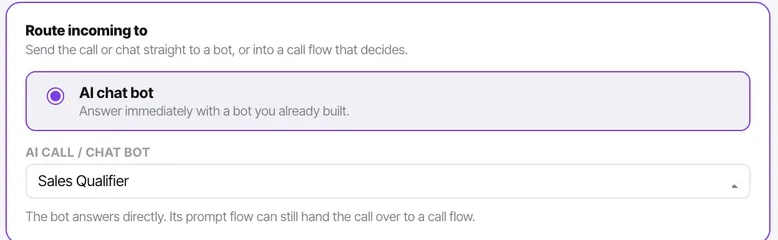
A reply is a conversation on the WhatsApp channel, answered by whatever it is pointed at. Decide before you send whether that is a bot, your team, or both.
The reason to send a broadcast from here rather than from a broadcast tool is what happens next. A reply is not a notification; it is a conversation on the WhatsApp channel, with the contact record beside it, handled by whatever that channel is pointed at. That means the routing decision you made on the channel is also your reply-handling decision, and it is worth making deliberately before the send.
Before you start
- A WhatsApp channel routed to a bot or to your agents.
- A broadcast about to go out, and a rough idea of the reply volume.
Steps
Decide who answers replies
A bot, if the replies will be predictable — "yes, book me in", "what does it cost". Your team, if the offer needs a human. A bot with a handover condition, for most cases: it answers the predictable ones instantly and passes the rest to a person with the history intact.
Write the bot's first message with a reply in mind
The bot opens a broadcast reply the same way it opens any conversation. "Hi — I can book your slot or answer questions about the offer" makes sense as an answer to "yes". A generic greeting does not.
Make sure somebody is watching if it is your team
Replies arrive unassigned when the channel routes to agents, and agents cannot see unassigned conversations. A manager assigns them, or they sit. Name a person for the hour after the send.
Watch the unreplied count
Filter the Inbox to unreplied on the WhatsApp channel during the hour after a send. That is the number that tells you whether the replies are being handled or piling up.
Let the conversation move the record
A reply that turns into a booking or a qualified lead moves the stage the way any conversation does. The broadcast did its job; the record shows it without you reconciling anything.
Check it worked
An hour after the send, the unreplied count on the WhatsApp channel should be near zero. If it is climbing, either the bot is not coping or nobody is assigning — and both are visible from the Inbox filters.
The parts people get wrong
- A reply puts the person inside the 24-hour window, so the follow-up can be free text rather than a template.
- Replies to a broadcast are ordinary conversations. Every Inbox filter, assignment rule and handover applies.
The ones people actually ask
Replies are arriving and nobody is answering them.
The channel is routed to your agents and the replies are sitting unassigned, where agents cannot see them. Have a manager assign them, or route the channel to a bot with a handover condition before the next send.
Can the bot tell a broadcast reply from a normal message?
It answers both the same way, from its instruction and first message. Write the first message so it reads well as a response to "yes" — that is the practical difference.