
Let people take a slot without the email thread
Connect Google or Microsoft, publish a booking link with your real availability, and let the AI agent book straight into it.
Three ways to share a slot
Random pick
Convarza picks whoever is free, spreading bookings across the hosts.
All hosts together
Everyone joins. Availability is the intersection, so nobody is double-booked.
Let the invitee choose
Shown only when there is more than one host, because otherwise it is not a choice.
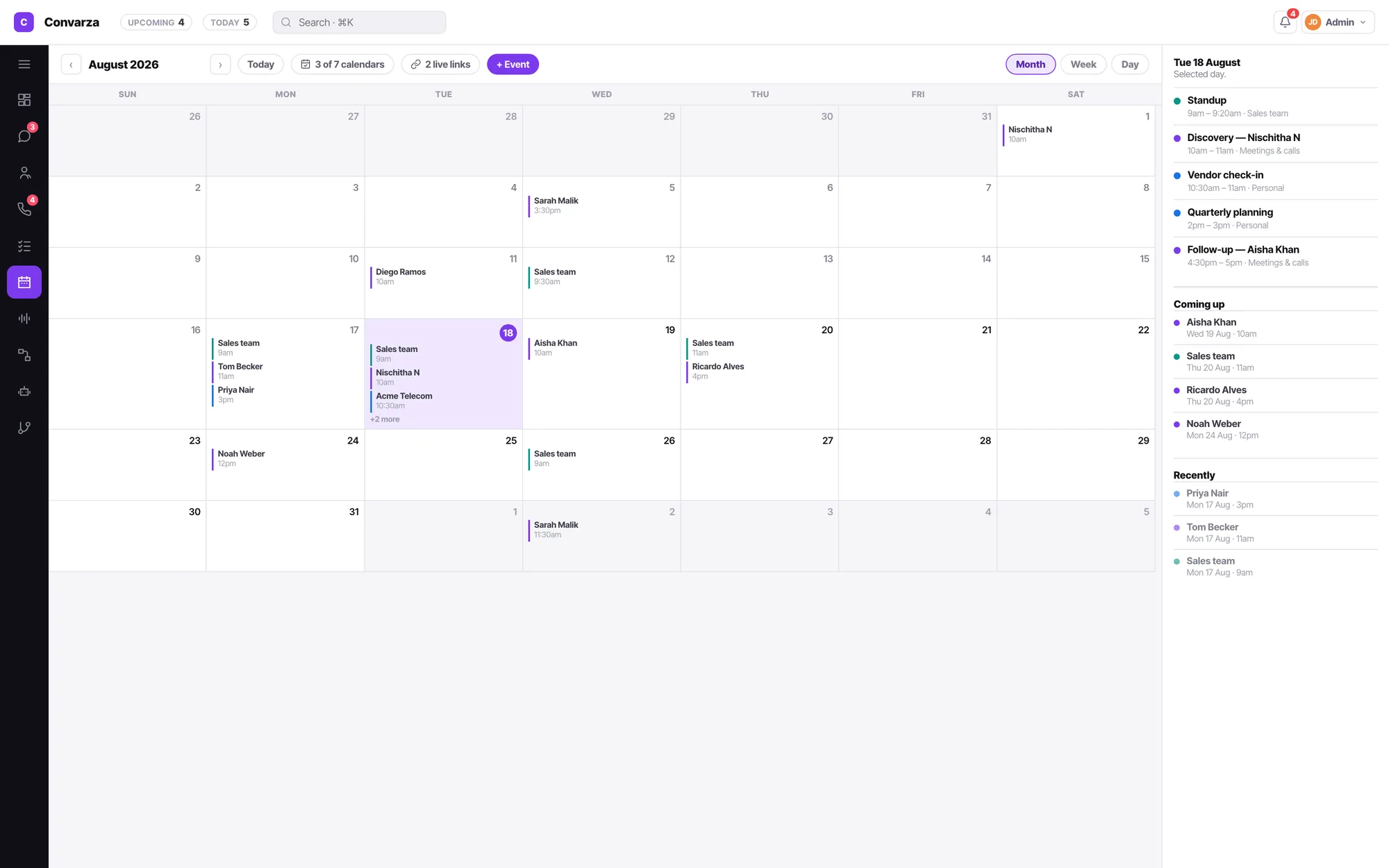
Inside Calendar, not a second kind of form
Booking links open from the calendar header into a full-surface editor with the list on the left. They are part of your calendar, because that is the only place their availability can honestly come from.
- Weekly availability reuses the same hours editor as channel calling hours — one vocabulary.
- Least notice, how far out, and a daily cap, so a link cannot fill your Monday.
- Connecting a calendar always routes to one place in settings — never a second connect flow.
Calendar FAQ
Whose calendar do I see?
Your own, and only your own. Month, week and day views, with week and day as real time grids — hour rows, events positioned by start and duration. Overlapping events cascade so the label stays readable.
Which calendars can I connect?
Google and Microsoft, alongside your Convarza calendar. Sources are accounts holding sub-calendars, filtered from one popover with search, per-account all/none and a colour per calendar.
What can I configure on a booking link?
Hosts, how they are assigned, slot length, people per slot, gap after, weekly availability and timezone, least notice, how far out bookings can go, a daily cap, the conflict rule, and either a video link or an address.
Can an agent create a team booking link?
An agent can create a link that hosts only themselves. Adding other people is a manager or admin action, and the page says so rather than showing a control that would be refused.
Can the AI voice agent book a slot mid-call?
Yes — that is one of the functions you can give it. It reads the same availability the booking link publishes, so it cannot offer a slot you are not actually free for.
Written about this
Booking an appointment by voice: what has to be true first
An agent that offers a slot it cannot actually hold is worse than one that takes a message. Availability, conflicts and least-notice come before the voice.
ReadWhat an AI receptionist should answer after hours — and what it should not
The calls you miss between 7pm and 9am have a floor of zero, which makes them the safest place to start. The trick is knowing where to stop.
ReadWhat an AI voice agent actually does on a call
Not a recording, not a menu, not a chatbot reading aloud. Here is what happens between the ring and the hang-up, and which parts you control.
ReadIt is all one product
Everything here reads and writes the same contacts, the same conversations and the same calendar. Nothing needs syncing.
Shared inbox
WhatsApp, Instagram, Facebook, Telegram, Viber, LINE, your web widget, SMS and email land in a single queue your team actually works from.
AI chatbot
One bot answers WhatsApp, Instagram, your web widget, SMS and email — and hands the conversation to a person the moment your condition says it should.
AI voice agents
An AI agent answers your line in natural speech, follows your prompt, calls your functions, and hands to a human the moment it should.
Call flows
Ring agents, hand to an AI agent, branch on a condition, run an IVR menu, check business hours, take voicemail — as one flow you can read.
Campaigns
AI call. No pickup, WhatsApp. Four hours on, call again. Still nothing, email. Written as sentences, running from a day to two months, across every channel your customer actually uses.
Sequences
Someone fills a form, or you enrol them by hand. Then a call, a WhatsApp, a wait, an email — and along the way a stage change, a task, a booked meeting. A campaign and a workflow in one.
WhatsApp marketing
Send an approved template to an audience, hold it to the hours somebody can reply, and let every answer land in the shared inbox — where an AI agent or your team picks it up.
Email marketing
Send to a segment built from the same contacts, stages and call outcomes the rest of the product uses. Replies land in the shared inbox. One record per person, not a separate list.
Workflows
Not closed in five days, move it to Lost. Owner deactivated, reassign. Form submitted, create the contact. When this happens · only if · then, in order — for records and state, so campaigns and sequences can handle the talking.
Contacts & CRM
Lead stages that mean something, a schema you define yourself, and every call, chat and note on one timeline.