
The contact record your conversations write into
Lead stages that mean something, a schema you define yourself, and every call, chat and note on one timeline.
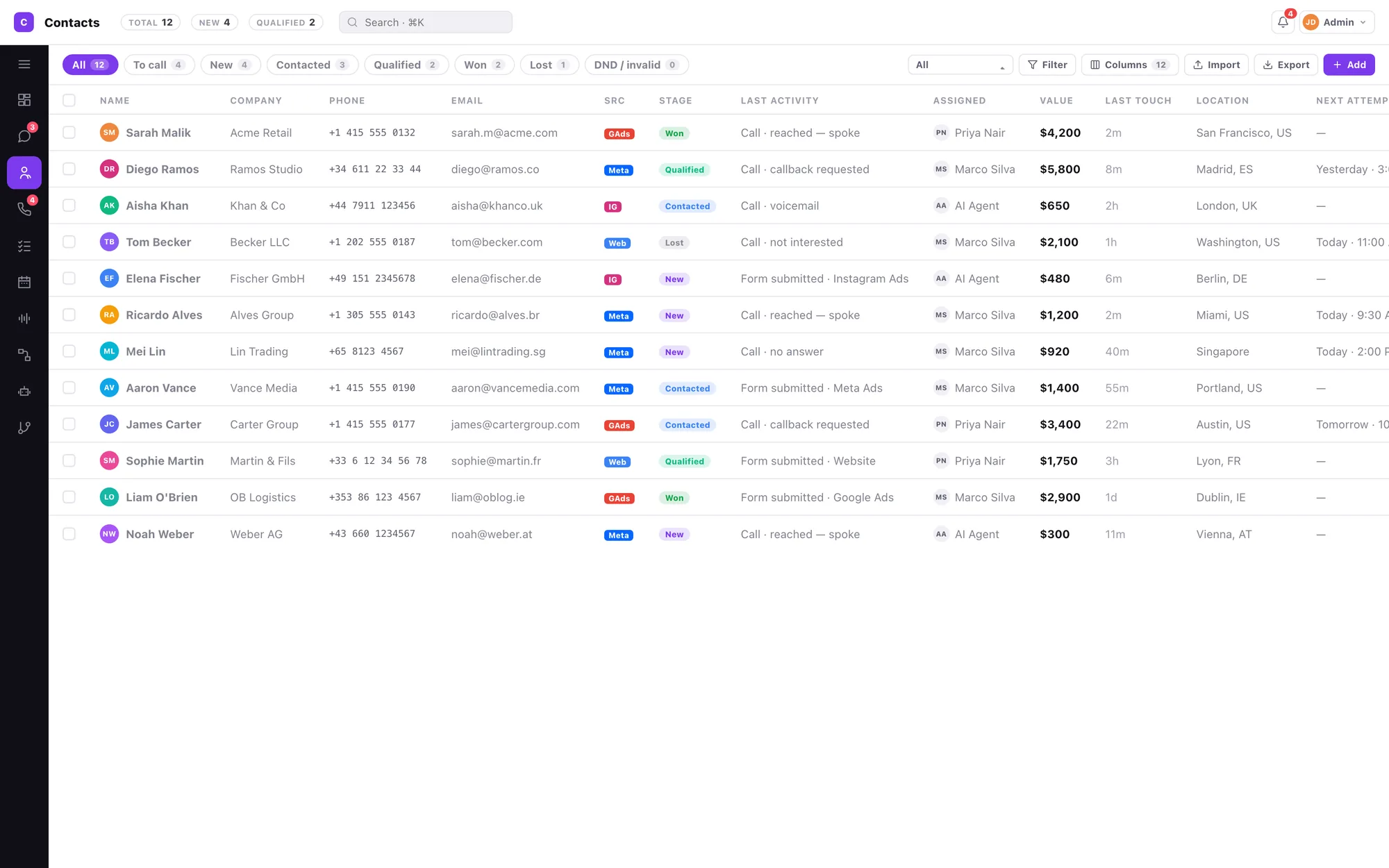
Three states, never conflated
Most CRMs have one status field doing three jobs. That is where reporting goes to die.
Call outcome
One attempt. Set by the agent after the call. Eight values, each stating what it will do.
Lead stage
The contact's lifetime. Editable on the record and from the call logger. Terminal values really are terminal.
Queue state
Derived, read-only, never offered for hand-entry. It is a consequence, not an input.
Every outcome states its consequence
The dropdown label, the coloured line under it, and what Save actually does all come from one table. They cannot drift apart.
| Outcome | What saving it does |
|---|---|
| Reached — spoke | Stage moves to Contacted |
| No answer · Busy · Voicemail | Call log entry only. Stage untouched, stays in the list. |
| Callback requested | Creates a callback task at the time you set |
| Wrong number | Stage moves to Wrong number · leaves the list |
| Not interested | Stage moves to Not interested · leaves the list |
| Do not call (DND) | Stage moves to DND · leaves the list |
Save & next logs the outcome, applies the effect and advances to the next contact.
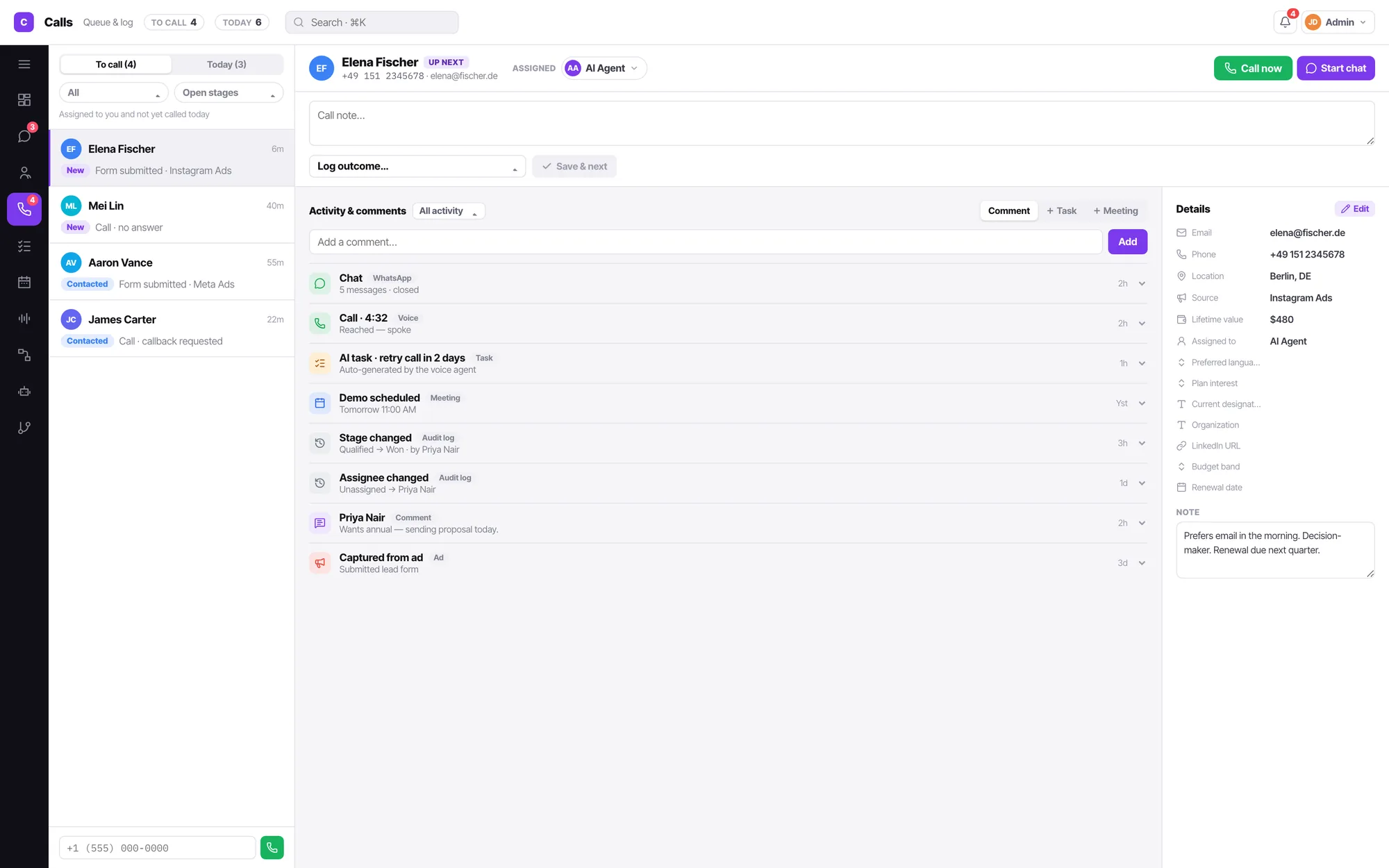
“To call” means one simple thing
Every contact assigned to you, whose lead stage is still open, that you have not called today. No delayed group, no queue-reason vocabulary, no next-attempt schedule to maintain.
- Open stages are everything except Qualified, Won, Lost, Not interested, DND and Wrong number.
- Two filters only: assignee (managers and admins) and lead stage, defaulting to open stages.
- Today holds whoever you already worked on today, so nobody gets called twice.
Seventeen attribute types, and the grid follows
An admin defines what a contact is — in one editor, with a type palette, the attribute list and a settings rail. Everything downstream reads that schema: the record's field list, the grid's column picker, the create sheet's controls and the export's columns.
- A dropdown attribute renders as a select built from its own choices — never a bare text box.
- Required attributes sort first and carry a red asterisk.
- Standard attributes can be made required or admin-only, but never renamed, retyped or deleted.
- Deleting a custom attribute takes a two-step confirm naming how many contacts lose the value.
Contacts FAQ
What is the difference between a call outcome and a lead stage?
A call outcome describes one attempt — reached, no answer, busy, voicemail, callback requested, wrong number, not interested, do not call. A lead stage describes the person over their lifetime — new, contacted, qualified, won, lost, DND, wrong number. Queue state is a third thing entirely, and it is derived and read-only. Conflating them is why pipeline reports stop reconciling.
Does saving an outcome change anything?
Yes, and the dropdown says so before you commit. "Reached — spoke" moves the stage to Contacted. "No answer", "Busy" and "Voicemail" log the call and leave the stage alone. "Callback requested" creates a task at the time you set. "Wrong number", "Not interested" and "Do not call" move the stage and take the contact out of the calling list.
Can I add my own fields?
Admins can, in one place. Seventeen attribute types — text, long text, number, email, phone, date, dropdown, multi-select, checkbox, currency, link, rating, country, location, teammate, file, checklist. Set required, admin-only, a default and visibility. The schema is the single source of truth, so a new attribute appears on the record, in the column picker and in the export without anyone touching markup.
How do I create a contact quickly?
A record-style sheet with one field per row and every attribute directly typeable — no picking a field before entering its value. Required attributes sort first. Tick Create another and the sheet stays open keeping stage, owner and source, which is the pattern for typing a stack of business cards.
Can I export?
Admins can, always as an Excel workbook. Scope it to all contacts, the current filtered segment, or a custom rule set built with the same advanced filter builder. Pick your columns, and optionally add a second sheet of activity history.
Written about this
Call outcome and lead stage are different things
One describes an attempt. The other describes a person. Conflating them is why your pipeline reports never reconcile.
ReadHow to qualify a lead on a phone call, and hand the script to an agent
Four questions, asked in an order that survives a real conversation. Then how to give the same script to an AI agent without it sounding like a form.
ReadWrite your follow-up sequence the way you would brief a new agent
Retry-after and max-attempts fields describe a machine. Sentences describe the job. Convarza takes the sentences.
ReadIt is all one product
Everything here reads and writes the same contacts, the same conversations and the same calendar. Nothing needs syncing.
Shared inbox
WhatsApp, Instagram, Facebook, Telegram, Viber, LINE, your web widget, SMS and email land in a single queue your team actually works from.
AI chatbot
One bot answers WhatsApp, Instagram, your web widget, SMS and email — and hands the conversation to a person the moment your condition says it should.
AI voice agents
An AI agent answers your line in natural speech, follows your prompt, calls your functions, and hands to a human the moment it should.
Call flows
Ring agents, hand to an AI agent, branch on a condition, run an IVR menu, check business hours, take voicemail — as one flow you can read.
Campaigns
AI call. No pickup, WhatsApp. Four hours on, call again. Still nothing, email. Written as sentences, running from a day to two months, across every channel your customer actually uses.
Sequences
Someone fills a form, or you enrol them by hand. Then a call, a WhatsApp, a wait, an email — and along the way a stage change, a task, a booked meeting. A campaign and a workflow in one.
WhatsApp marketing
Send an approved template to an audience, hold it to the hours somebody can reply, and let every answer land in the shared inbox — where an AI agent or your team picks it up.
Email marketing
Send to a segment built from the same contacts, stages and call outcomes the rest of the product uses. Replies land in the shared inbox. One record per person, not a separate list.
Workflows
Not closed in five days, move it to Lost. Owner deactivated, reassign. Form submitted, create the contact. When this happens · only if · then, in order — for records and state, so campaigns and sequences can handle the talking.
Calendar & booking
Connect Google or Microsoft, publish a booking link with your real availability, and let the AI agent book straight into it.