
Connect LINE
Three values from your LINE official account — bot basic ID, channel token and channel secret — and it joins the same queue as everything else.
LINE is the dominant messenger in Japan, Taiwan and Thailand, and if you sell into those markets it is not optional. It needs three values rather than two, and it will not authenticate on two, so gather all three before you start.
There is also one LINE-side setting that silently sabotages the connection: LINE's own auto-reply. If it is left on, LINE answers your customers before Convarza ever sees the message, and your bot appears to be doing nothing.
Before you start
- A LINE official account with the Messaging API enabled.
- Bot basic ID, channel access token and channel secret from the LINE Developers console.
- LINE's own auto-reply and greeting messages switched off.
Steps
Create a LINE official account and enable the Messaging API
Done in the LINE Developers console. You will end up with a bot basic ID, a channel access token and a channel secret.
Issue a long-lived channel access token
LINE can issue short-lived tokens. Use a long-lived one — a short-lived token connects, works for a while, and then expires with no warning inside Convarza.
Turn off LINE's auto-reply and greeting messages
In the LINE Official Account Manager. If these are on, LINE responds first and your customers get a canned reply instead of your bot. This is the most common "LINE is connected but nothing works" cause.
Add a LINE channel and enter all three values
Bot basic ID, Token and LINE secret. All three are required and LINE will not authenticate on two of them.
The secret and the access token are different values and are easy to transpose, because both are long strings from the same console page. Paste each one and use the Show toggle to check it landed whole.
Choose the routing
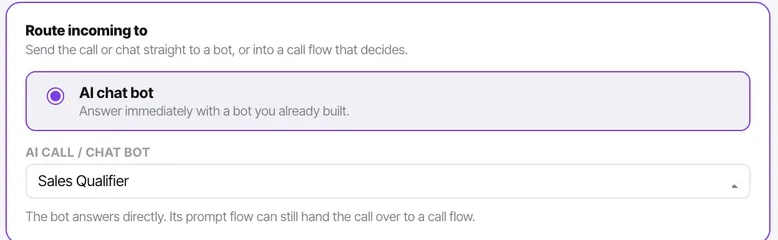
An AI bot, or your agents.
If you are launching into Japan, Taiwan or Thailand, check the bot's language handling before you point LINE at it. A bot that answers confidently in the wrong language is worse on LINE than on most channels, because it is often somebody's primary messenger rather than a secondary one.
Add the account as a friend and message it
LINE requires the friend relationship before messages flow. Add the account from your own phone, then send a message.
Check it worked
If you receive a canned LINE reply rather than your bot's first message, the auto-reply setting is still on. If you receive nothing at all, check that you added the account as a friend.
The parts people get wrong
- LINE distinguishes the channel secret from the channel access token. They are different values and are easy to swap.
- Rich menus and LINE-specific message types are configured on LINE's side, not in Convarza.
The ones people actually ask
LINE is connected but customers get a canned reply instead of our bot.
LINE's own auto-reply and greeting messages are still on. Turn both off in the LINE Official Account Manager. This is the most common cause of a LINE channel that looks connected and behaves as though it is not.
The channel worked for a few weeks and then stopped.
A short-lived channel access token. LINE can issue both kinds, and a short-lived one expires on a schedule with no warning inside Convarza. Issue a long-lived token and paste it in.
It will not authenticate and I have checked the values twice.
The channel secret and the channel access token are different values from the same console page, and they are very easy to transpose. All three fields are required — bot basic ID, token and secret — and LINE will not authenticate on two of them. Paste each and use the Show toggle to confirm it landed whole.
I messaged the account and nothing arrived.
Add the account as a friend first. LINE requires the friend relationship before messages flow, so a test from a phone that has not added the account will always appear to fail.