
Choose the channels a campaign uses
A calling line, the WhatsApp channel, the email channel. Each brings its own hours and limits, and the calling line decides your answer rate more than anything else.
A campaign reaches people on the channels you allow it. Choosing them looks like an administrative step and is actually three decisions with the largest effect on your results: which number you call from, which WhatsApp template goes out, and which mailbox the email comes from. Each channel also silently brings its own hours and limits, which the campaign inherits and cannot widen.
Before you start
- A calling channel with outgoing enabled.
- A WhatsApp channel with an approved template, for any WhatsApp step.
- A connected email channel, for any email step.
Steps
Pick the calling line
The picker shows only calling channels with outgoing enabled. Chat channels and inbound-only SIP gateways are correctly absent, because you cannot dial out on them.
Choose a number your audience will recognise. A local number in the region you are calling substantially outperforms a foreign one — for many markets it is the difference between a viable campaign and a dead one, and no script change compensates.
Check what the line brings with it
Its calling hours, which the campaign inherits and can only narrow, and its allowed calls count, which every campaign, inbound call and manual dial on that line shares. If a campaign dials slowly, the allowed calls count is the first place to look. Two campaigns that must not compete need two lines — there is no per-campaign concurrency.
Pick the WhatsApp channel and its template
Almost everyone a campaign reaches is outside the 24-hour window, so the WhatsApp step needs an approved template with realistic sample values. Sends are held to the broadcast timings on that channel — set them to when a reply can actually be answered, in the customer's timezone.
A reply lands in the shared inbox on the WhatsApp channel, answered by whatever that channel is pointed at: a bot immediately, or your team.

Pick the email channel
The shared email channel, so replies come back into the same queue rather than a personal mailbox. Your own domain, with SPF and DKIM set up on it before the first campaign — a burst of mail from an unauthenticated domain is treated as suspicious whatever it says.
Let each channel keep its own rules
The campaign cannot override a channel's limits, and that is the point. It cannot ring outside the line's hours, cannot message outside the WhatsApp timings, and cannot send from a mailbox you have not connected. Whatever the sequence says, the channels bound it.
Check it worked
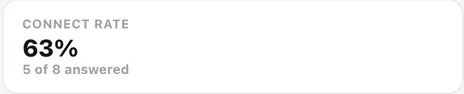
Run twenty contacts and read the results per channel: connect rate for the call, reply rate for WhatsApp and email. If calls go unanswered but WhatsApp replies are healthy, try the same list from a different number before changing anything else — that single test isolates the largest variable.
The parts people get wrong
- Direction is not a campaign setting. The line must have outgoing enabled; an inbound-only gateway will not appear.
- A campaign can narrow calling hours for itself but never widen them beyond the line.
- Email deliverability is earned on the domain, not in the campaign. Authenticate the sending domain first.
The ones people actually ask
The line I want is not in the list.
Only calling channels with outgoing enabled appear. A chat channel or an inbound-only SIP gateway is correctly absent, because you cannot dial out on either.
Two campaigns are slowing each other down.
They share the line's concurrency, along with inbound calls and anyone dialling manually. There is no per-campaign concurrency, so if two campaigns must not compete they need two lines.
Which number should I dial from?
One your audience will recognise. A local number in the region you are calling substantially outperforms a foreign one, and no script change compensates for a number people do not pick up.