
Set concurrency with the allowed calls count
How many calls a line may run at once. It belongs to the channel rather than the campaign, which is why a slow campaign is usually a line problem.
Concurrency is the number of calls that may be in progress on a line at the same moment. It is a contractual number your carrier sold you, and setting Convarza above it does not buy capacity — it buys rejected calls.
It lives on the channel rather than on a campaign, deliberately. Two campaigns on one line share the line's capacity, along with every inbound call and every manual dial. That is the honest model: the constraint is physical, and pretending each campaign has its own would just move the failure somewhere less obvious.
The practical consequence: when a campaign dials slowly, look here before you look at the campaign.
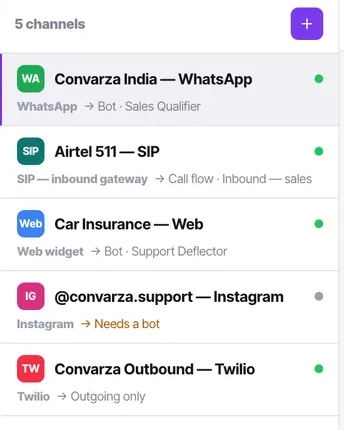
Before you start
- A calling channel.
- The concurrency your carrier sold you — confirmed, not assumed.
Steps
Find out what your carrier permits
Ask them, or read the contract. Guessing is how you end up with a campaign that fails intermittently in a way nobody can reproduce.
Open the channel's additional settings
Allowed calls count sits here, alongside forwarded-from numbers, forward-to number, the IP/domain match list and ping timeout.
Set it at or below the carrier's ceiling
Leave headroom if the same trunk carries traffic that is not Convarza's — an on-premise PBX sharing the trunk, for instance.
Remember what else shares it
Inbound calls, outbound calls, every campaign on that line, and anyone dialling manually all draw on the same count. A busy inbound morning does slow your outbound campaign.
Raise it deliberately when a campaign crawls
If dials are trickling, check this number before you touch the campaign. Then raise it only if the carrier permits.
Check it worked
Run a campaign and watch the dial attempts count on the Campaigns screen. If it plateaus at a number suspiciously close to your allowed calls count, that is your ceiling in action rather than a fault.
The parts people get wrong
- Concurrency is not on the campaign, on purpose. If you need separate capacity for separate campaigns, that means a separate channel.
- Carriers reject calls above your permitted concurrency. Those rejections are usually invisible except as a campaign that appears to have stalled.
The ones people actually ask
My campaign is dialling very slowly.
Check the allowed calls count before you touch the campaign. A campaign trickling out dials is usually sitting at this ceiling. Remember that inbound calls, other campaigns and anyone dialling manually all draw on the same count, so a busy inbound morning genuinely does slow your outbound campaign.
Can I set concurrency per campaign?
No. Concurrency belongs to the line, and there is no per-campaign setting. If two campaigns must not compete for capacity, they need two lines.
What number should I set?
At or below what your carrier permits — ask them or read the contract rather than guessing, because guessing produces intermittent failures nobody can reproduce. Leave headroom if anything other than Convarza shares the trunk.