
Create a multi-channel campaign
An audience, the channels it may use, who answers the call, and a sequence written in sentences — AI call, then WhatsApp, then email, until they connect.
A campaign reaches an audience across every channel the customer is on. It does not pick one channel and repeat it: it calls, and if nobody picks up it sends a WhatsApp, waits, calls again, then emails — in the order and at the pace you write. It runs from a day to two months, and it stops for each person the moment they connect.
The form is short on purpose. Everything a campaign could duplicate has been left where it already lives: the bot owns its instruction, voice and model; each channel owns its hours and limits; the contact schema owns what a person is. What remains is genuinely campaign-shaped — who we are reaching, on which channels, who answers the call, and the sequence.

Before you start
- A calling channel with outgoing enabled, if the sequence includes a call.
- A connected WhatsApp channel with at least one approved template, if it includes a WhatsApp step — most of the audience will be outside the 24-hour window.
- A connected email channel, if it includes an email step.
- An audience whose phone numbers carry country codes.
- Your legal basis for contacting each list, settled before the first send.
Steps
Open Campaigns and create one
Campaigns are a rail item beside AI bots and Workflows, because building them is regular work rather than a settings pane. Name it for the audience and the goal — Q3 renewals — call then WhatsApp — because you will be reading this name in reports for months.

Build the audience
A dynamic filter, a static list, or an import. The choice matters more than people expect: a dynamic filter keeps picking up new matches while the campaign runs, which is what you want for everyone at Qualified and not what you want for the 340 people from the event.
Filter on open stages so DND, Not interested and Wrong number are excluded automatically. Then open three matched contacts — counts lie, records do not.
Choose the channels the campaign may use
A calling line with outgoing enabled, the WhatsApp channel, the email channel — tick the ones the sequence will use. Each brings its own rules with it. The line brings calling hours and concurrency. WhatsApp brings broadcast timings and the need for an approved template outside the 24-hour window. Email brings the mailbox it sends from.
A campaign never defines a channel of its own, which is why it cannot ring or message anybody outside hours you already set.
Pick who answers the call step
An AI voice agent or a call flow, with inline create if you need one. This is only about the call: the bot keeps its own instruction, voice and model. The WhatsApp and email steps send what the sequence says; a reply to either lands in the shared inbox on that channel and is answered by whatever the channel is pointed at.
Write the sequence in sentences
"Call them. If they pick up and we talk, we're done. If nobody answers, send a WhatsApp. Wait four hours and call again. Still nothing, email that evening and make one more call the next morning. Then a WhatsApp every third day for two weeks. After that, stop."
That is the actual input. Mix the channels freely, use uneven intervals, and always write the line that says stop. Six default lines ship so you edit rather than start from nothing.
Set how long it runs
A day to two months. Short for a time-boxed push — an event follow-up, a renewal window. Long for a slow burn where the point is to keep a door open until the person is ready. The duration is a ceiling: any individual stops earlier the moment they connect.
Check the inherited hours on every channel
The campaign shows the calling hours and timezone it inherited from the line, and the WhatsApp step respects the broadcast timings on that channel. Override the calling hours only if this campaign genuinely differs, and remember an override can only narrow. Read the timezone aloud.
Start it against twenty contacts
Then stop, listen to two call recordings, open the WhatsApp thread on a contact who did not pick up, and read three activity feeds end to end. The feed should read exactly like the sequence you wrote — call, WhatsApp, wait, call, email — with timestamps. If it does not, the wording was ambiguous. Ten minutes here prevents the campaign you have to apologise for.
Check it worked
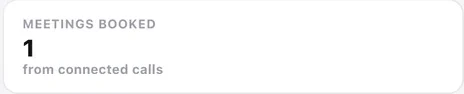
Watch the numbers at the top of Campaigns after the first small run: dial attempts and connect rate for the call step, replies for the WhatsApp and email steps, meetings booked. If the connect rate is very low, the problem is your list or your number, not your script — and a WhatsApp reply rate that is healthy while calls go unanswered tells you where this audience actually lives.
The parts people get wrong
- A campaign is always outbound. Inbound is a channel pointed at a bot or a call flow; the two meet on the contact record.
- A WhatsApp step to somebody outside the 24-hour window needs an approved template. A campaign that assumes free text will work in testing — you have just been messaging yourself — and fail for real people.
- Every attempt on every channel lands on the contact's activity feed. A two-month campaign leaves a readable trail, not a mystery.
- For one person, triggered by something they did, with a stage change or a booking along the way — that is a sequence rather than a campaign.
The ones people actually ask
The campaign is not dialling.
Work down five things: it is not paused; the current time is inside the inherited calling hours, timezone included; the allowed calls count is not throttling it; the line has outgoing enabled; and the audience is not empty. A dynamic audience filtered on open stages shrinks as terminal outcomes accumulate, so a finished campaign looks stopped.
The WhatsApp step is not sending.
Almost always the template. Anyone outside the 24-hour window needs an approved one, and the step waits for the broadcast timings on the WhatsApp channel. Check the notification feed for a rejection, then check the timings and their timezone.
How large should the first run be?
Twenty contacts, then stop. Listen to two recordings, read three activity feeds and one WhatsApp thread. No amount of dashboard-reading substitutes for seeing the sequence run on a real person.
Can a campaign have its own hours or line settings?
No. A campaign never defines a channel of its own, so it inherits each channel's hours and limits. It can narrow the calling hours for itself but never widen them, and there is no per-campaign concurrency.