
Connect a Google calendar
Connecting always routes to one place in settings — never a second connect flow. Do it before you build anything that offers a slot.
Everything in Convarza that offers a time — a booking link, a meeting from a conversation, an AI voice agent booking mid-call — reads your connected calendar. So this is not an optional convenience: it is the thing that makes every other scheduling feature honest.
The decision that matters is which sub-calendars count. If your personal appointments block your working day, they need to be included — availability that ignores half your commitments is worse than none, because it produces double bookings you have to apologise for.

Before you start
- A Google account holding the calendar you keep.
- A decision about whether personal commitments should block work bookings.
Steps
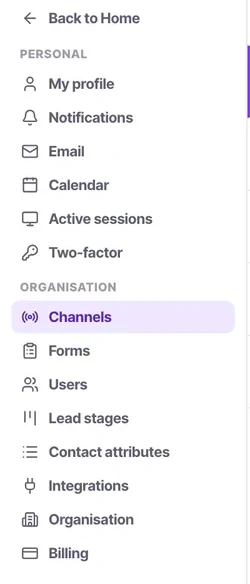
Go to calendar settings
Connecting always routes to one place. If you started from a booking link you will still end up here, deliberately — there is never a second connect flow to get out of step.
Authorise Google
Sign in and grant access. A source is an account, and an account holds several sub-calendars.
Choose which sub-calendars count
Filtered from one popover with search, per-account all or none, and a colour per calendar. Most people have more calendars than they realise once shared ones are included.
Include everything that makes you busy
The school run, the standing dentist appointment, the two hours you block for focused work. If it means you cannot take a call, it belongs in the set.
Exclude noise
Room calendars, resource calendars and colleagues' shared calendars usually tell you nothing about your own day and will clutter the week view.
Check a week you know by heart
Open week view and confirm it matches what you have on. Do this before publishing any booking link — it takes thirty seconds and prevents the whole class of problem.
Check it worked
Open a booking link you own, or the meeting composer on a contact, and look at the slots offered for tomorrow. If any of them is a time you are busy, a sub-calendar is missing from the set.
The parts people get wrong
- You see your own calendar and only your own. There is no view of a colleague's day.
- A booking link and an AI voice agent both read this availability, so an error here becomes a double booking made out loud on a phone call.
The ones people actually ask
My booking link is offering times I am not free.
A calendar that makes you busy is not in the set. Include the school run, the standing appointment, the two hours you block for focused work — if it means you cannot take a call, it belongs. Then open week view and check a week you know by heart before publishing anything.
Which calendars should I leave out?
Room calendars, resource calendars and colleagues' shared calendars. They tell you nothing about your own availability and they make week view unreadable. Most people have more calendars than they realise once shared ones are included.
Is hiding a calendar the same as excluding it?
No. What you display and what blocks a booking are separate questions. If you hid something to reduce clutter, confirm your booking link still behaves as you expect.