
Month, week and day views
Week and day are real time grids — hour rows, events positioned by start and duration, overlaps cascading so labels stay readable.
Three views doing three different jobs, plus a panel on the right that most people never notice and should.
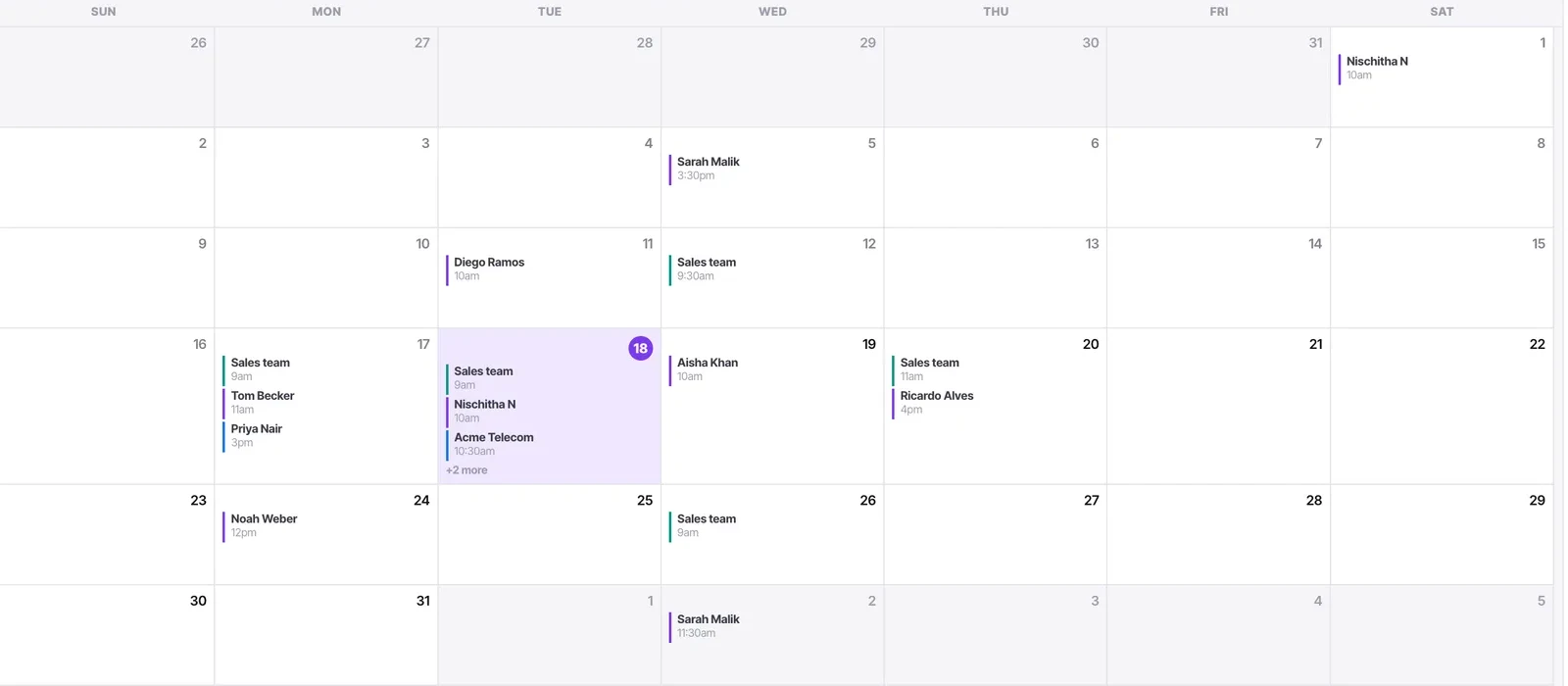
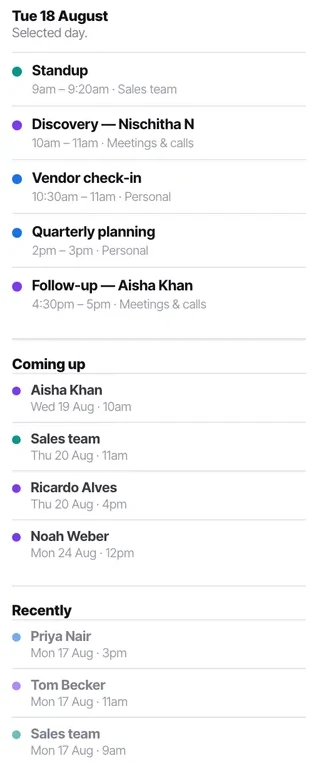
Month is for shape. Week is for planning, and it is a real time grid rather than a list — hour rows with events positioned by start and duration, so you can see the gaps. Day is for a dense day. The right-hand panel shows the selected day in detail plus what is coming up and what happened recently.
Before you start
- A connected calendar with something in it. An empty calendar shows nothing useful.
Steps
Use month for shape
Which weeks are heavy, where the gaps are, whether next month is already full. Not for detail — a day with five events shows three and a "+2 more".
Use week for planning
A real time grid: hour rows, events positioned by start and duration. This is where you can see whether Thursday afternoon works.
Use day when it is dense
Same grid as week view, one column, and considerably more room for labels.
Use it on the day where week view has become a stack of overlapping blocks you cannot read. It is the view for a day that has gone wrong rather than the one you plan in.
Read overlaps properly
Overlapping events cascade so the label stays readable rather than collapsing into an unreadable stack. That is what makes a double-booked morning diagnosable at a glance.
Use the right-hand panel
The selected day in full, then Coming up and Recently. It answers "what is next" without you having to hunt on the grid, and Recently is useful for "who did I see last week".
Check availability here before promising anything
Ten seconds in week view beats an apology later.
This matters more than it sounds because you are not the only thing offering your time. A booking link and an AI voice agent are both handing out slots from the same calendar while you are not looking.
Check it worked
Look at next week in week view. If it is hard to tell where you are free, the most likely cause is too many sub-calendars displayed rather than a genuinely full week.
The parts people get wrong
- You see your own calendar, and only your own.
- The header shows counts for upcoming and today, so you get the headline without opening anything.
The ones people actually ask
Which view should I use?
Month for shape — which weeks are heavy, where the gaps are. Week for planning, because it is a real time grid where you can see whether Thursday afternoon works. Day when a day has gone wrong and week view has become a stack of overlapping blocks you cannot read.
A day shows a plus-two-more rather than my events.
That is month view doing its job — it shows shape, not detail. Switch to week or day for that date.