
Create your Convarza AI workspace
Sign up, name the workspace and land on an empty rail. Five minutes, and only two of the decisions are awkward to change later.
Creating the workspace is the easy part. What matters is the two decisions buried in it that are annoying to unpick later: which email address creates it, and whether you keep one workspace or several.
The account that signs up becomes the first admin, and admin is the role that holds
billing, channel credentials and integrations. If that ends up being a shared
info@ mailbox, you have both created a security problem and burned the
mailbox you probably wanted to connect later as an email channel. Use a named
person's work address.
By the end of this you will have an empty workspace and be looking at the rail. Do not start configuring settings — the fastest useful path is a channel, then a bot, then pointing one at the other, which is the next few tutorials.
Before you start
- A work email address belonging to a named person, not a shared mailbox.
- Five minutes. No card is required — there is no setup or onboarding fee on any plan.
Steps
Start from the sign-up page
Go to app.convarza.com and choose Start free.
You are not asked for payment details. Every plan is free of setup fees, onboarding fees and per-conversation charges, so nothing here is a trial that quietly starts billing you.
Use an address the company owns, belonging to one person
Whoever creates the workspace becomes its first admin. That role can change the plan, enter carrier credentials, connect integrations and export every contact you have, so it should belong to somebody accountable rather than to a mailbox several people read.
There is a second, more practical reason. Addresses like support@,
sales@ and hello@ are the shared mailboxes you will
later want to connect as an email channel so the whole team can work
them. A mailbox already tied to a login is a mailbox you have to untangle first.
Name the workspace as your customers would recognise it
Use the trading name, not the registered company name, unless customers see the registered one. It appears throughout the product and, on Scale and Enterprise, is what white labelling replaces.
Confirm your email
Verification is not only a formality here. The address becomes the destination for the notifications the product needs you to read: WhatsApp template approvals and rejections, workflow failures for workflows you own, and warnings as you approach a plan limit.
If mail from the product is going to a filtered folder nobody opens, you will find out about a broken automation from a customer instead.
Land on the rail, and resist configuring anything
You arrive at a workspace with nothing in it. The instinct at this point is to work through settings top to bottom. Do not — most of those settings only make sense once there is a channel and a bot to apply them to.
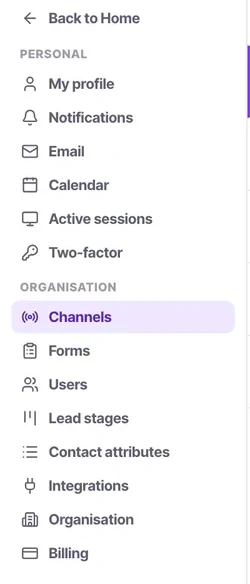
Everything in the product is a rail item on the left: Inbox, Calls, Contacts, Tasks, Calendar, AI bots, Call flows, Campaigns, Workflows, Channels and Insights. Settings sit separately, split into what is yours and what belongs to the organisation.
Promote a second admin before you do anything else
This takes thirty seconds now and saves a bad afternoon later. Billing and credentials are admin-only, so a single admin is a single point of failure for both. If that person is on holiday when a card expires or a channel drops its authorisation, nobody else can fix it.
Check it worked
You should be looking at an empty Inbox, with the rail on the left and your workspace name in the corner. Two things worth confirming before you move on:
- The verification email arrived somewhere you will see it.
- There are two admins, not one.
Next, connect a channel — the web widget is the fastest, because it needs no external credentials at all.
The parts people get wrong
- One company, one workspace. Separate workspaces do not share contacts, bots or knowledge bases, so splitting by branch means maintaining the same bot and the same knowledge base twice. Branches are better modelled as separate channels and a contact attribute.
- The first admin cannot be removed while they are the only one, which is another reason to add a second early.
- The workspace name is not the same as white labelling. Renaming is available on every plan; replacing the branding is Scale and Enterprise.
The ones people actually ask
The verification email has not arrived. What now?
Check spam first, then check the address you actually typed on the sign-up screen — a typo there is the most common cause and it fails silently. If the address is right and nothing has arrived after a few minutes, your mail provider may be quarantining it; ask whoever runs your mail to allow the sender. Do not sign up a second time with a different address, because that creates a second workspace you will then have to abandon.
I signed up with the wrong email address. Can I change it?
The creating account becomes the first admin, so the cleanest fix while the workspace is still empty is to invite the correct address as an admin, sign in as that person, and deactivate the original. Doing this on day one costs nothing. Doing it after six months of activity means every audit entry still names the old account.
Should we have one workspace or one per branch?
One. Separate workspaces share nothing — not contacts, not bots, not knowledge bases — so a second workspace means maintaining the same bot and the same price list twice, and they will drift. Model branches as separate channels plus a contact attribute, which keeps one set of facts and still lets you report per branch.
Will I be charged when I sign up?
No. No payment details are asked for at sign-up, and no plan carries a setup fee, an onboarding fee or a per-conversation charge. Billing only starts when an admin chooses a paid plan on the Billing pane.