
Connect a SIP trunk for outbound calling
Username, password, port, server domain or IP, protocol and media encryption. Tick Registration if your carrier needs it — it is a checkbox, not a hidden mode.
A SIP trunk is the most powerful and least forgiving way to connect calling. You keep your carrier, your rates and your numbers, and in exchange you own the configuration — six values that all have to match what the carrier configured on their side.
Get the carrier to send you the settings in writing. The single biggest time sink here is a value someone remembered slightly wrong, because SIP failures are rarely descriptive. A protocol mismatch typically shows as calls that ring and then drop, not as an authentication error.
The other thing to establish before you start is how the carrier authenticates you: registration with credentials, or IP authentication. If it is IP-based, registration will fail no matter how correct your username and password are.
Before you start
- Trunk settings from your carrier, in writing: username, password, port, server domain or IP, transport protocol and media encryption.
- Confirmation of whether the trunk uses registration or IP authentication.
- The concurrency your contract allows.
- If IP-authenticated: Convarza's address added to the carrier's allow-list.
Steps
Add a SIP outbound channel
Channels → add → SIP outbound. Outbound trunks are for dialling out; inbound calls need the separate SIP inbound gateway type.
Enter the trunk details exactly as supplied
Username, password, port, server domain or IP, protocol and media encryption. Copy and paste each one. A transposed digit in a port number produces a trunk that never registers and gives you almost nothing to go on.
Match the protocol and encryption precisely
UDP, TCP or TLS, and the corresponding media encryption. These must match the carrier exactly.
A mismatch here is the classic SIP failure: the call sets up, rings, and drops after a second or two. If that is your symptom, come back to this step before anything else.
Tick Registration only if your carrier uses it
A checkbox, not a hidden mode. Registration-based trunks authenticate with the credentials you entered; IP-authenticated trunks instead need the carrier to allow Convarza's address, and will reject registration attempts.
Set region and direction
Outbound. A trunk set to outgoing only correctly shows no inbound routing, because nothing arrives on it.
Route it
An AI voice agent, or a call flow. For an outbound trunk this is what answers when the person you dialled picks up.
Set the allowed calls count before any campaign runs
Carriers reject calls above the concurrency they sold you, and a campaign that trips that limit looks broken rather than throttled.
Leave headroom if the same trunk carries traffic that is not Convarza's.
Place a test call and read the gateway config
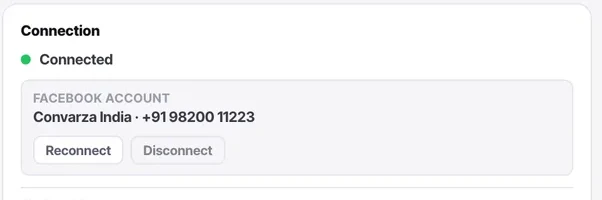
The connection card carries trunk status with a refresh, plus a gateway config readout — server IP, port, username, auth secret — with each row individually copyable. That readout is what you send the carrier when you need their help.
Check it worked
Work through the symptoms in this order:
- Never registers → credentials, or the carrier authenticates by IP instead.
- Registers, calls fail immediately → number format, usually a missing country code.
- Rings then drops → protocol or media encryption mismatch.
- Connects with silence one way → a media or NAT issue; your carrier will recognise it.
- Works, then fails under load → concurrency.
The parts people get wrong
- Numbers without a country code are the most common reason outbound SIP calls never leave. This bites imported lists hardest.
- If the carrier changes anything — an IP, a certificate, your concurrency — the trunk breaks with no notice inside Convarza. Whoever manages the carrier relationship needs to know this channel exists.
The ones people actually ask
The call rings and then drops after a second or two.
Classic protocol or media-encryption mismatch. UDP, TCP or TLS must match what the carrier speaks exactly, and so must the corresponding media encryption. This failure gives you almost nothing else to go on, so if that is your symptom, check these two before anything else.
The trunk never registers.
First establish which authentication model your carrier uses. If they authenticate by IP, registration will fail no matter how correct your credentials are — untick Registration and ask them to allow Convarza's address instead. If they use registration, check the credentials and the port; a transposed digit in a port number produces exactly this with no useful error.
Calls work singly but a campaign fails intermittently.
You are above the concurrency your carrier sold you, and they are rejecting the excess. Set the allowed calls count at or below their ceiling, and leave headroom if anything other than Convarza shares the trunk — an on-premise PBX, for instance.
Can I take inbound calls on this trunk?
No. SIP outbound is for dialling out. Inbound calls need the separate SIP inbound gateway type, so if you need both directions that is two channels. An outbound trunk also will not appear in a campaign's line picker if outgoing is switched off.
What should I send my carrier when I need their help?
The gateway config readout on the connection card — server IP, port, username and auth secret, each row individually copyable — plus the trunk status after you have refreshed it. That readout is what lets them look at their side of the same call.