
What a manager can do that an agent cannot
The line is blast radius: a manager can change how work arrives for everybody. An agent can only change their own.
Agent and manager differ along one line, and it is not seniority. It is whether a mistake by that person can change what happens to everyone else's work.
An agent affects their own conversations, their own calling list and their own tasks. A manager affects routing, hours, bots, flows and campaigns — which is to say, what arrives in everybody's queue tomorrow.
Before you start
- Nothing. Read it before somebody asks you for manager access.
Reference
Managers see everything; agents see their own
An agent sees only assigned chats, their own calling list and their own tasks. Unassigned bot traffic is invisible to them by construction, not by a default filter.
Managers get the assignee filter
It reads all, none, then each teammate. An agent never sees it, because filtering their own queue by themselves would achieve nothing.
Managers reassign; agents can only unassign themselves
An agent cannot push work onto a colleague. Contacts and tasks are the exception — anyone can assign those to anyone, because they are records rather than workload.
Managers own routing, hours, bots, flows and campaigns
Everything that decides how work arrives: which channel answers with which bot, when your lines are permitted to dial, what a call flow does at 8pm, and which automations are live.
None of that changes a manager's own day. All of it changes everybody else's, which is precisely why it sits at this level.
Only managers and admins see Workflows
Agents do not see the rail item at all — it is absent rather than disabled.
Tell new agents this. An empty Inbox and a missing rail item both look like a broken account on somebody's first morning, and both are correct.
Managers can enable and disable channels but not touch credentials
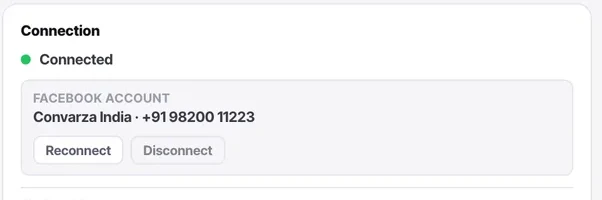
Routing, calling hours, additional settings and health are theirs. Credential fields and the connected-account row are admin-only — and the product shows those fields to managers rather than hiding them, so they know what to ask for.
Put it to use
Sign in as a test agent for two minutes. Confirm the Workflows item is missing, the assignee filter is absent, and the Inbox shows only assigned work. Those three absences are the role working correctly.
The parts people get wrong
- Booking links are the one place an agent gets a partial version of a manager feature: they may publish their own availability, but not somebody else's.
- Because agents cannot see unassigned traffic, assigning a conversation is what makes it visible to them at all.
The ones people actually ask
Can agents see if a conversation is assigned to someone else?
No, agents only see conversations assigned specifically to them. Everything else is invisible to them.
Can a manager change my personal settings?
No, personal settings (like your name, notifications, and personal email) are yours alone. Only you can change them.
Why does a manager need the assignee filter?
Because they can see the whole queue. The filter helps them isolate a specific agents work or identify unassigned conversations.
Can agents ever reassign chats?
No, agents can only unassign themselves. Reassigning is pushing work onto someone else, which requires manager access.
Are tasks restricted like conversations?
No, tasks are notes about work rather than the work itself. Anyone can assign a task to anyone.
Why can my agent not see the whole queue?
By construction, not by a default filter. An agent sees only what is assigned to them, so unassigned bot traffic is invisible to them entirely. That is why an agent reporting that the bot is not answering is inferring it from silence — have a manager check with the assignee filter set to None.
What can a manager not do?
Touch credentials or billing. Routing, calling hours, additional settings, enabling and disabling channels and reading health are all theirs. The product shows credential fields to managers rather than hiding them, so they know what to ask an admin for.