
Change your payment method
A two-minute job that becomes a service interruption if you leave it until the card has already expired.
The most avoidable outage in any subscription product is a failed renewal on an expired card, and the most common cause is a personal card belonging to somebody who has since changed job.
Before you start
- Admin access.
- A company card rather than a personal one.
- The billing contact address, checked — failure notices go there.
Steps
Open Billing
Change payment method sits alongside the subscription card and the usage summary.
Use a company card, not a personal one
Personal cards leave with the person. This is the single most common cause of an unexpected billing failure, and it happens months after the person has gone.
Update before it expires
Put the expiry date in a calendar somewhere outside this product, owned by somebody who will still be here.
A failed renewal does not degrade gracefully. It is the most avoidable outage available to you and it always happens at an inconvenient moment.
Check the billing contact address
Failure notices go there. An address nobody reads is the same as no notice at all.
Confirm the next renewal date
And note it somewhere your finance team will see it, along with the amount.
Unexpected renewals are how SaaS spend becomes contentious internally, which is a separate problem from the product working.
Check it worked
Confirm the new card shows on the subscription card and the next renewal date is what you expect. If the renewal is within a few days, watch for the confirmation.
The parts people get wrong
- Billing is admin-only, so make sure at least two people can do this.
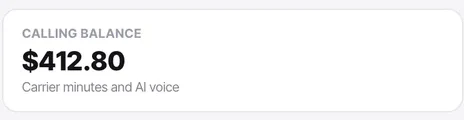
- The calling balance is separate. Updating your card does not top up the balance.
The ones people actually ask
How long does it take for a new card to apply?
It is immediate. Future renewals and any pending charges will instantly attempt to use the newly approved primary card.
Can I have multiple cards on file?
Yes, but there is always one marked as the primary payment method used for all billing.
What if I use a debit card?
Debit cards are accepted, but ensure your bank allows recurring online subscriptions, otherwise renewals might fail randomly.
Does changing the payment method alert other admins?
Yes, an email notice is sent to the billing contact address whenever financial details are modified.
Where do billing failure notices go?
They go directly to the billing contact address you configured. Check that it is an address actively monitored.
What is the most common cause of a billing failure?
A personal card that left with the person. Use a company card. This is genuinely the most avoidable outage available to you, and it always happens at an inconvenient moment, months after the person has gone.
How do I avoid an expiry surprise?
Put the expiry date in a calendar outside this product, owned by somebody who will still be here, and check the billing contact address — failure notices go there, and an address nobody reads is the same as no notice at all.