
Build and use forms
Structured capture that writes into your contact schema, and lands on the activity feed where somebody will see it.
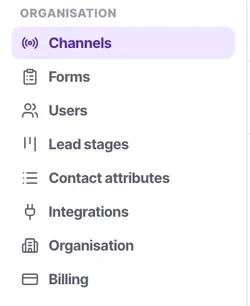
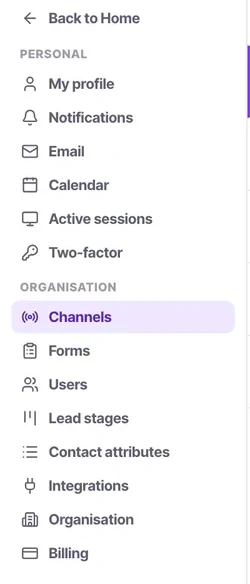
Forms sit under Organisation in settings, beside contact attributes and lead stages — which is a good clue to how they work. A form writes into your contact schema, so what it can capture is determined by the attributes you have defined.
Submissions land on the contact's activity feed as captured entries, and a workflow can trigger on them. That last part is what turns a form from a data-collection exercise into a process: a submission that nobody acts on is worse than no form, because the customer believes they have told you something.
Before you start
- Admin access.
- Your contact schema defined first — a form cannot write to an attribute that does not exist.
- A decision about what happens after a submission.
Steps
Define the attributes before you build the form
A form field maps to a contact attribute. Building the form first and the schema second means rebuilding the form.
Ask for the minimum
Every field costs completions, steeply on a phone. Ask for what you cannot proceed without and collect the rest in conversation.
Use typed fields rather than free text
A dropdown that maps to a dropdown attribute keeps the data reportable. Free text that maps to a dropdown attribute will not fit.
Set what a submission creates
A contact, with an owner and a lead stage. A submission that creates an unowned contact is a lead in nobody's calling list.
Build the workflow that acts on it
Form submitted is a trigger. Assign it, acknowledge it, create a task — decide before you publish, not after.
Check the submission on the activity feed
Captured submissions appear there, so the person who eventually speaks to this customer can see what they told you.
Test it as a stranger
On a phone, in a private window. Then follow the resulting contact all the way through whatever should happen next.
Check it worked
Submit the form yourself and time how long it takes for a human to make contact. That number is your speed to lead, and it is the metric most reliably connected to revenue in this whole product.
The parts people get wrong
- A form that creates contacts with no owner produces leads nobody calls. Set the owner on the form.
- Captured form submissions land on the activity feed and can trigger a workflow. Use both.
The ones people actually ask
Can I embed a form on multiple websites?
Yes, the embed code is portable and can be used on any number of domains.
Can forms capture file uploads?
Forms are focused on structured data capture and map directly to your contact schema, which currently prioritizes text and selections over file binaries.
Does a form bypass the DND list?
Submitting a form typically implies consent, but you should configure the resulting workflow to handle consent properties according to your local laws.
How do I stop spam submissions?
Consider adding basic validation or requiring typed fields. If spam persists, review your public embedding strategy.
Can a form update an existing contact?
For security, forms generally create new timeline events. Matching against existing contacts depends on the unique identifiers provided, like email.
A form submission created a contact nobody is calling.
The form does not set an owner. An unowned contact reaches no calling list at all, so set both an owner and a lead stage on what a submission creates — and add a workflow on the form submitted trigger to assign, acknowledge or create a task.
Should I build the form or the schema first?
The schema. A form field maps to a contact attribute, so building the form first means rebuilding it. Use typed fields wherever you can — free text mapped to a dropdown attribute will not fit.
How should I test it?
As a stranger: on a phone, in a private window. Then follow the resulting contact all the way through whatever should happen next, rather than stopping at the confirmation screen.