
Move a lead stage automatically
Useful and dangerous in equal measure. A stage is a claim about a person, so automate it only where the claim is genuinely true.
A lead stage is a claim about a person that the whole product acts on: it decides whether they appear in a calling list, whether a campaign dials them, and what your pipeline reports say.
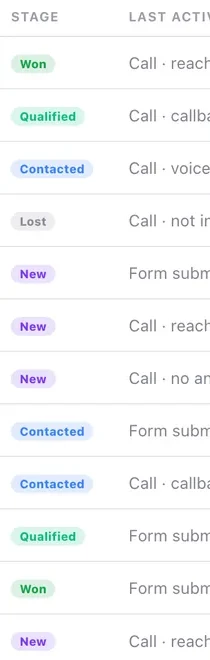
Automating it is powerful and worth doing carefully. The specific risk is terminal stages — Won, Lost, Not interested, DND and Wrong number all remove the contact from calling entirely, and an automation that moves people there wrongly does so silently and at volume.
Before you start
- A clear view of which stages are terminal before you pick one.
- Confidence that the event genuinely justifies the stage change.
Steps
Add a move-stage step and choose the stage
One stage, applied when the workflow runs.
Check whether it is terminal before you save. Won, Lost, Not interested, DND and Wrong number all remove the contact from calling entirely — a large effect for a single dropdown selection.
Automate only stages that follow from the event
A qualifying bot reaching a conclusion is fair grounds for moving to Qualified. "They opened an email" is not grounds for anything.
Never automate into a terminal stage casually
Won, Lost, Not interested, DND and Wrong number all remove the contact from the calling list. That is a large, quiet effect that nobody will notice for weeks.
Be especially careful with DND
It carries legal weight. Move somebody there deliberately, on evidence, not as a side effect of an automation nobody has read for six months.
Do not duplicate what outcomes already do
Call outcomes already move stages according to a fixed table. A workflow that also moves the stage on a call outcome gives you two mechanisms fighting, and the result depends on timing.
Watch the first fifty
Then open a sample of contacts and ask honestly whether the stage is true of each one. If it is not, the condition is too broad.
Check it worked
Filter Contacts to the stage your workflow sets and read ten records. Every one should look like it belongs. If even one does not, turn the workflow off before it touches another hundred.
The parts people get wrong
- Stage changes are audit entries on the activity feed, so you can always see that a workflow rather than a person moved somebody.
- A "Do not call cleanup" workflow triggered by the DND outcome is a legitimate and useful pattern. Moving people into DND automatically is a different and riskier thing.
The ones people actually ask
A workflow quietly removed people from our calling lists.
It moved them into a terminal stage. Won, Lost, Not interested, DND and Wrong number all remove the contact from calling entirely — a large effect for a single dropdown selection, and nobody notices for weeks. Check whether a stage is terminal before you save.
Should I automate a stage change on a call outcome?
No. Call outcomes already move stages according to a fixed table, so a workflow doing it too gives you two mechanisms fighting and a result that depends on timing.
Can I automate DND?
You can, and you should be very careful. It carries legal weight, so somebody should move there deliberately and on evidence, not as a side effect of an automation nobody has read for six months.