
Bulk edit contacts
Change many records at once. Fast, useful, and the easiest way in the product to make a large mistake.
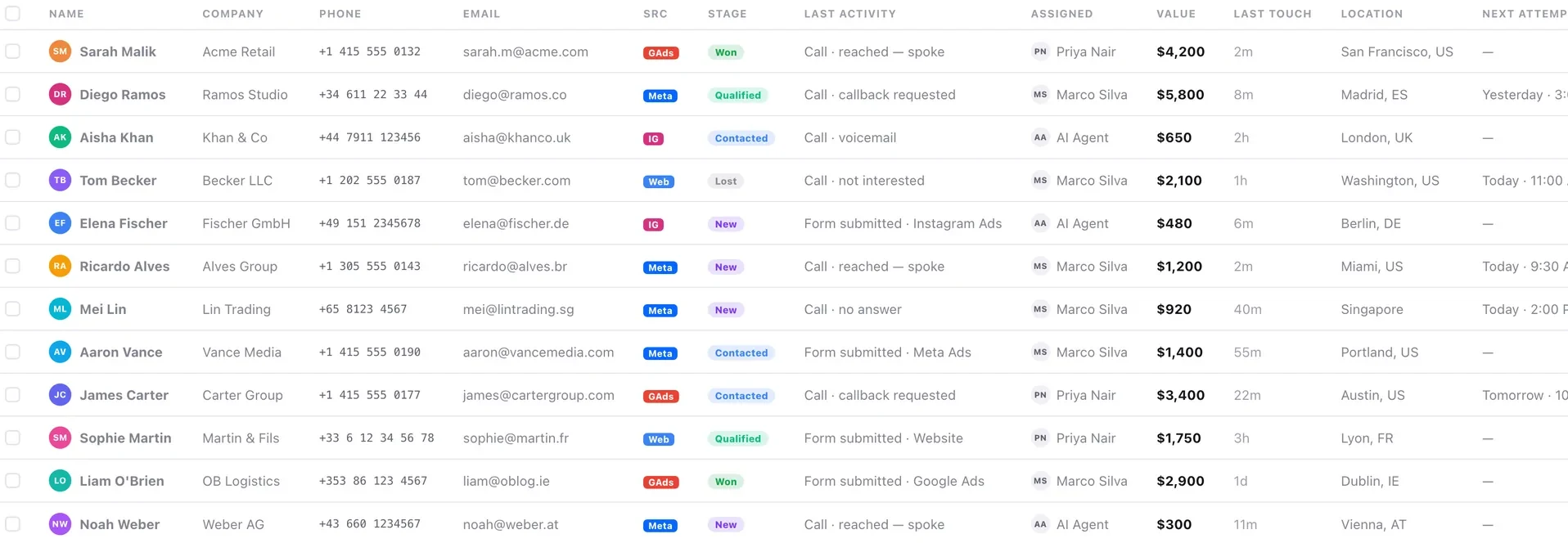
Bulk edit is useful and dangerous, and the danger is concentrated in one place: lead stage. Moving a few hundred people into a terminal stage in one action removes them from every calling list and every dynamic campaign audience, quietly, and there is no undo.
The rule that prevents almost every bulk-edit disaster: the filter is the step that matters. Everything after it is mechanical.
Before you start
- A filter you have checked by opening records.
- An export, if the change is not trivially reversible.
Steps
Filter to the records you mean
This is the whole job. A bulk edit is only as good as the filter under it.
Read the count and open three records
Confirm each belongs in the selection. Three records take a minute and catch most mistakes.
Export first for anything you cannot undo
Especially stage changes and owner changes. The export is your only route back.
Make one change at a time
Reassigning owners and moving stages in one action makes an unexpected result impossible to diagnose, because you cannot tell which change caused it.
Be especially careful with stage
Terminal stages remove people from calling lists and from dynamic campaign audiences. That is a large effect and nothing announces it.
Check a sample afterwards — and something that should not have changed
Both halves. Confirming the intended change worked is easy; confirming you did not catch anything else is the part people skip.
Check it worked
Open one contact you changed and read its activity feed. The change should appear as an audit entry. If you changed something you should not have, that trail is how you find out how far it went.
The parts people get wrong
- Bulk edit is on every plan.
- Bulk changes appear on each contact's activity feed as audit entries, so at least the damage is traceable and attributable.
- Moving people into DND in bulk has legal consequences. Do it deliberately, never as a cleanup.
The ones people actually ask
How do I undo a bulk edit?
You cannot, which is why the export beforehand is the whole safety net — especially for stage and owner changes. Five minutes exporting against data you cannot recover is not a difficult trade.
What should I check afterwards?
Both halves: a sample of records that should have changed, and something that should not have. Confirming the intended change worked is easy; confirming you did not catch anything else is the part people skip.
Why is a stage bulk edit riskier than the others?
Because terminal stages remove people from calling lists and from dynamic campaign audiences. That is a large effect and nothing announces it — a campaign can simply go quiet.