
Developer options and the API
For when an integration platform is not enough. Available on every plan, admin-only for the obvious reason.
The API is on every plan and is admin-only, because an API key can read and write everything: every contact, every conversation, your whole workspace.
Before you build with it, ask whether a catch hook into a workflow would do. For anything of the form "something happened out there, do something in here", a workflow is easier for your team to maintain than code, and it announces its own failures. Reach for the API when you need to read data out, or to do something a workflow cannot express.
Before you start
- Admin access.
- A secret manager, not a spreadsheet.
- Somebody who will own the integration after it is built.
Steps
Open developer options
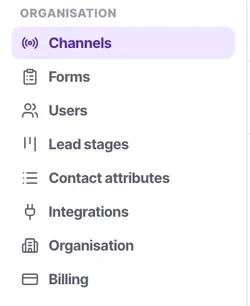
Under Organisation → Integrations. Admin-only, and the restriction is not bureaucratic — a key here reads and writes every contact, conversation and setting you have.
Before generating one, ask honestly whether a catch hook into a workflow would do the job. It usually would, and your team can read a workflow.
Generate a key and store it properly
In a secret manager. Not in a spreadsheet, not in a repository, not in a chat message. Anyone with the key has your data.
Use one key per integration
So you can revoke one thing without breaking everything else. This costs nothing now and saves an outage later.
Read before you write
Build the read half first, confirm the shapes match what you expect, and only then start creating records. Debugging writes against assumptions is expensive.
Make writes idempotent
Networks retry. An integration that creates a contact per attempt will fill your workspace with duplicates, and cleaning that up afterwards is awful.
Respect the contact schema
The API writes into the same attributes the UI does. A dropdown attribute will not accept a value outside its choices — align your integration to the schema rather than loosening the schema.
Set owner and lead stage on anything you create
An unowned contact appears in no calling list at all. An integration can run flawlessly for months and still deliver nothing because of it.
Revoke keys when people leave
Even if the integration stays. Add it to your offboarding checklist beside conversations and workflow ownership.
Check it worked
Create one contact through the API and open it in the UI. It should look like a contact a person created — owned, staged, with a source. If it does not, fix that before running the integration at volume.
The parts people get wrong
- Developer options and API access are on every plan, from Starter upwards.
- Prefer a catch hook and a workflow for anything inbound and simple. Your team can read a workflow; they cannot read your code.
The ones people actually ask
Do I actually need an API key?
Often not. Ask honestly whether a catch hook into a workflow would do the job — it usually would, and your team can read a workflow. A key here reads and writes every contact, conversation and setting you have.
How should I manage keys?
One per integration, stored in a secret manager — not a spreadsheet, a repository or a chat message. One key per integration means you can revoke one thing without breaking everything else, and revoking keys belongs on your offboarding checklist even when the integration stays.
The contacts my integration creates are never called.
Set owner and lead stage on anything you create. An unowned contact appears in no calling list at all, so an integration can run flawlessly for months and still deliver nothing.
My writes are being rejected.
The API writes into the same attributes the UI does, so a dropdown attribute will not accept a value outside its choices. Align your integration to the schema rather than loosening the schema — and build the read half first, so you confirm the shapes before you start creating records.